
We use cookies to ensure the best experience for you on our website. By using this website you accept our use of cookies. Ok Read more

Los Santos Roleplay Cops and Robbers
  • Home
  • Forum
  • Information
    • Beginners Tutorial
    • Server Rules
    • Privacy Policy
    • Server Map
  • Statistics
    • Top 25
    • Most Active
    • Server Stats
    • Top Score
    • Groups
    • Turf Stats
  • UCP
    • Dashboard
    • Profile
    • Messaging
    • Houses
    • Vehicles
    • Donation Items
    • Transfers
    • Tag Area
    • Support
    • Logs
  • Shop
    • Shop page
    • Donation items
    • Wearables
    • Memberships
    • Vehicle Addons
    • Vehicles
    • Houses
    • Apartments
    • Groups
    • Get Points
  • Donate
  • Game (UCP) Sign in
Lsrcr Forum • [Guide for DUMMIES]Everything About MOD-ing

Lsrcr Forum

Los Santos Roleplay Cops and Robbers
https://ls-rcr.com/forum/

[Guide for DUMMIES]Everything About MOD-ing

https://ls-rcr.com/forum/viewtopic.php?t=14678

Page 1 of 1

[Guide for DUMMIES]Everything About MOD-ing

Posted: February 22, 2012, 5:27 pm
by Fourth_Horseman
*By using this guide, I am assuming that you already have the MOD that you have chosen to install*
*This guide applies in .dff and .txd MODs only, and NOT sound mods, etc*
*ALWAYS remember to MOD at your own risk, if not sure about a certain MOD, ask!*


INSTALLING MODS
Spoiler: show
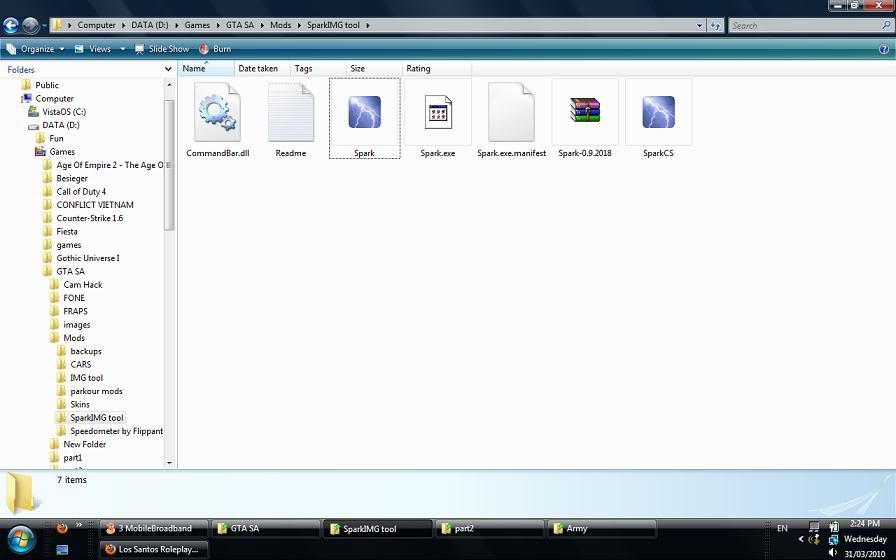
Open up your GTA SA IMG Tool. I use Spark IMG Tool because in my opinion, it is the easiest to use (download link below)
Image

Click "Open" and find your GTA directory. Once you've found your GTA Directory, find the folder called "models" and find the file that's called "gta3.img".
Image

Open this file, and you should see something like this.
Image

Now open up the folder where you saved the MOD that you have downloaded and look at its file name. Usually there will be at least one .txd file and one .dff file.
It is recommended to ALWAYS have a back up copy whenever you are installing a MOD. If you don't know how to make back up files, checkthe 2nd post for a tutorial in making back up copies of the original .txd/.dff files.
Image

Whether you made a back up or not, the next step is to drag (or copy and paste) the .txd and .dff files of the MOD you are trying to install. Just simply drag and drop it into Spark. And click Save, by either clicking File, then Save. Or just simply pressing the Save button at the top part of the window.
Image

Once all this is done, go ingame and check if your MOD was succesfully installed.

Enjoy!
MORE GUIDES BELOW

All times are UTC
Page 1 of 1
Powered by phpBB® Forum Software © phpBB Limited
https://www.phpbb.com/