

[GUIDE] How to install skin/car/road mods for new people
Post your Tutorials regarding modifications here!
3 posts
Page 1 of 1
-
- [Lsrcr]NiLiKoS
- Posts: 2897
- Joined: December 15, 2013, 6:20 pm
- Location: The Netherlands
-
SPARK
[/size][/u][/b]
First you need.
Click File> Open
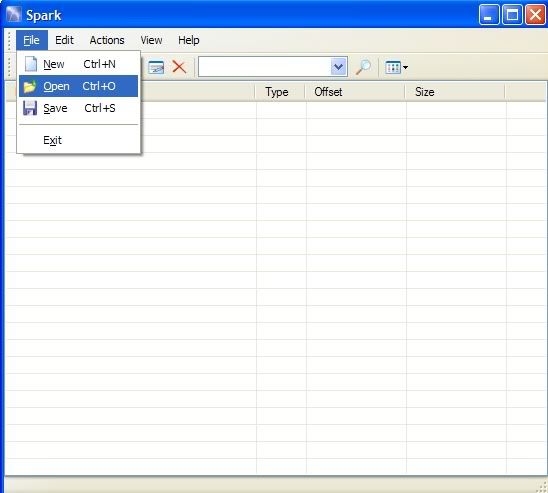
Click the top arrow, then go to Local disk C.
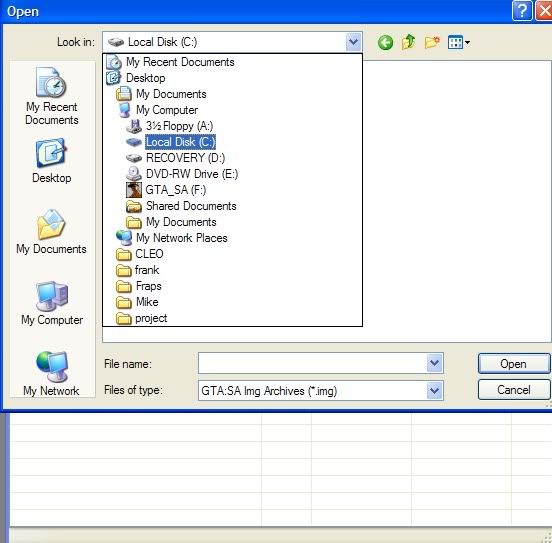
Find the program files, then open it.
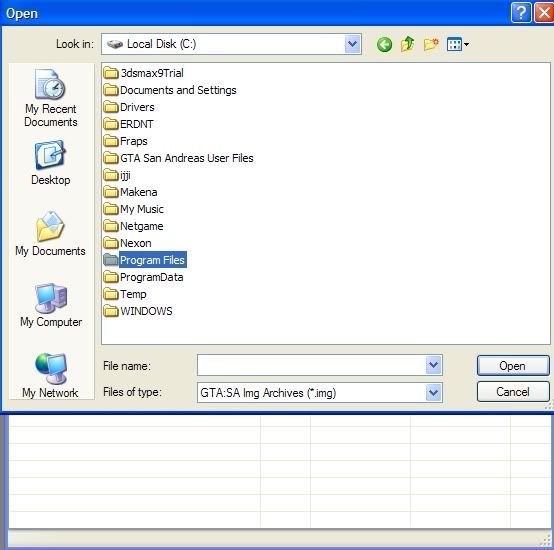
Look for the Rockstar games folder, then open that.
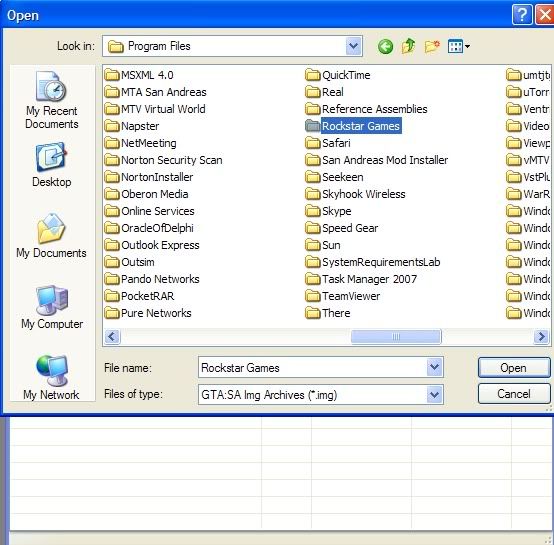
Click models.
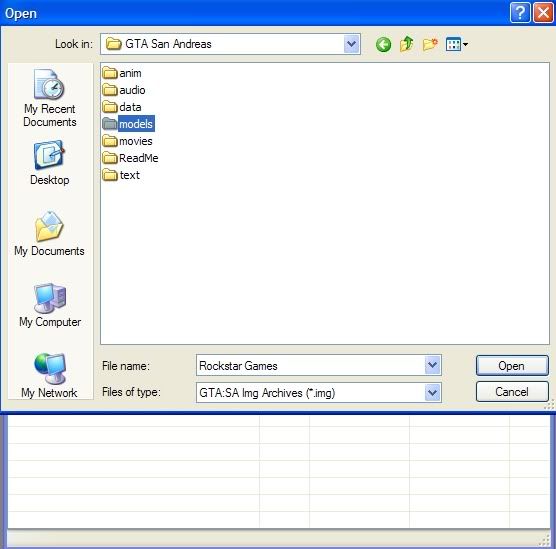
Click GTA3.img
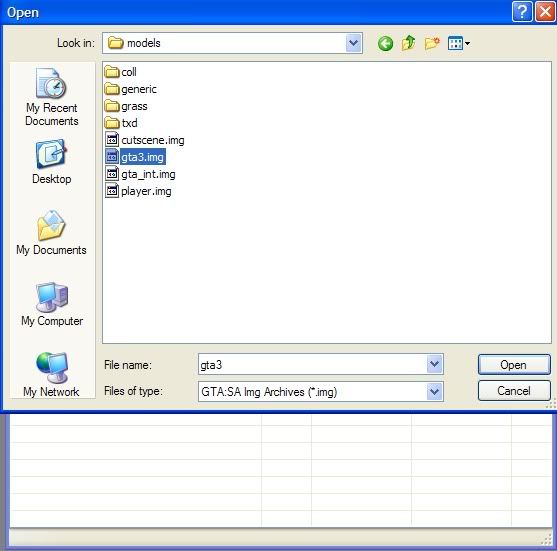
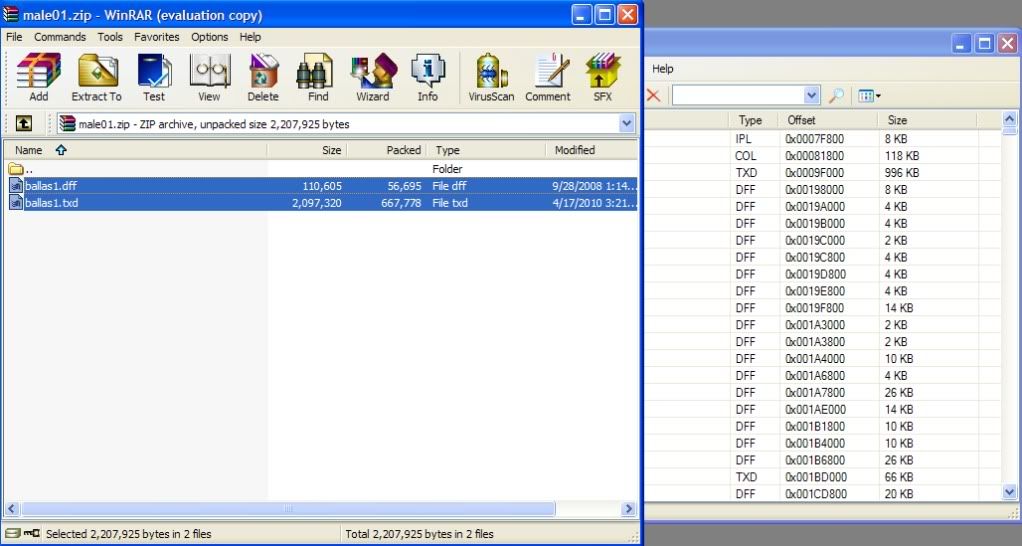
Download any mod you want, open it using winrar, highlight both files, drag and drop them. (Cars, weapons, peds only) (Clothing goes in player.img)
Click File> Open
Click the top arrow, then go to Local disk C.
Find the program files, then open it.
Look for the Rockstar games folder, then open that.
Click models.
Click GTA3.img
Download any mod you want, open it using winrar, highlight both files, drag and drop them. (Cars, weapons, peds only) (Clothing goes in player.img)
SAMI
[youtube]http://www.youtube.com/watch?v=vhAXeqCfLBs[/youtube]
Download link:-
IMGtool
[youtube]http://www.youtube.com/watch?v=P3fQy6ebb_0[/youtube]
Download link:-
Credits to: TalhagamerSpoiler: show
- TheCrapCaptain
- Posts: 13
- Joined: July 10, 2014, 1:07 am
-
i can change skins/roads with alci's img tool ?

3 posts
Page 1 of 1
Who is online
Users browsing this forum: No registered users and 1 guest
 Los Santos Roleplay Cops & Robbers
Copyright © Ls-rcr 2026. All Rights Reserved.
Los Santos Roleplay Cops & Robbers
Copyright © Ls-rcr 2026. All Rights Reserved.