mouse

Here you can discuss anything related to technology as well as ask for help if you have an issue related to your PC or devices.
9 posts Page 1 of 1

 

Faraon78910

User avatar
Faraon
Retired Administrator
Event Host
Posts: 7730
Joined: August 16, 2013, 10:12 pm
Location: Glen Park

Post by Faraon78910 » March 2, 2017, 11:45 am
How to change left click button to back or forward button.
I tried Logitech but it says no devices detected
halp

Blizzard

Blizzard
Donator
Posts: 4811
Joined: March 12, 2012, 6:26 pm
Location: 대한민국

Post by Blizzard » March 2, 2017, 2:55 pm
r u trying to troll someone
Image
Spoiler: show
10k+ score | Top 10 Salesman | Former S.W.A.T. Member | Pagati Underboss | Fuckin Weeb | Roleplayer | God Of Dm

Faraon78910

User avatar
Faraon
Retired Administrator
Event Host
Posts: 7730
Joined: August 16, 2013, 10:12 pm
Location: Glen Park

Post by Faraon78910 » March 2, 2017, 8:30 pm
Blizzard wrote:
r u trying to troll someone
im sirius

Aleksa

Aleksa
Retired Administrator
Posts: 10637
Joined: October 7, 2012, 8:59 pm
Location: Belgrade, Serbia

Post by Aleksa » March 5, 2017, 8:47 am
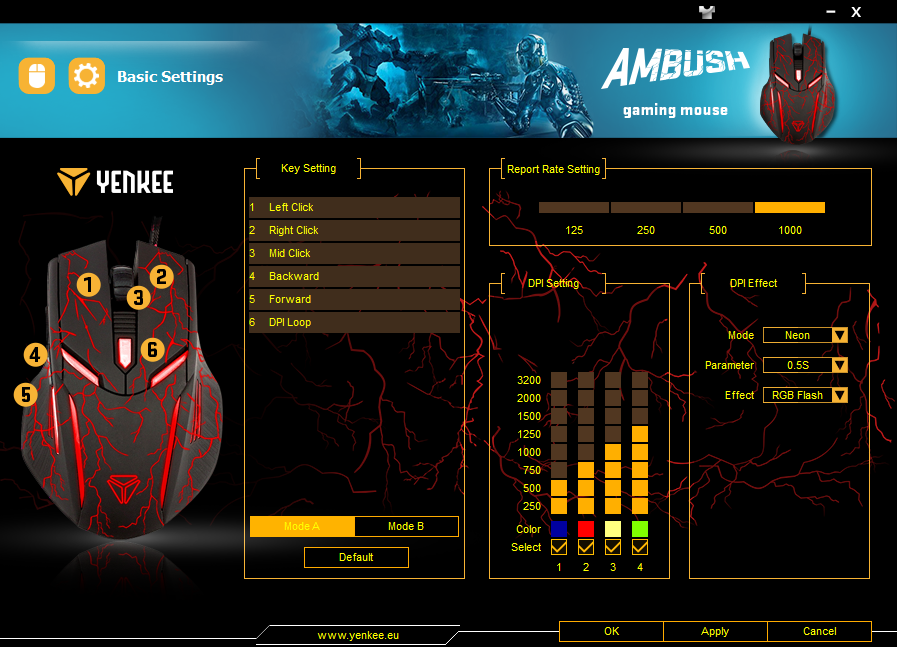
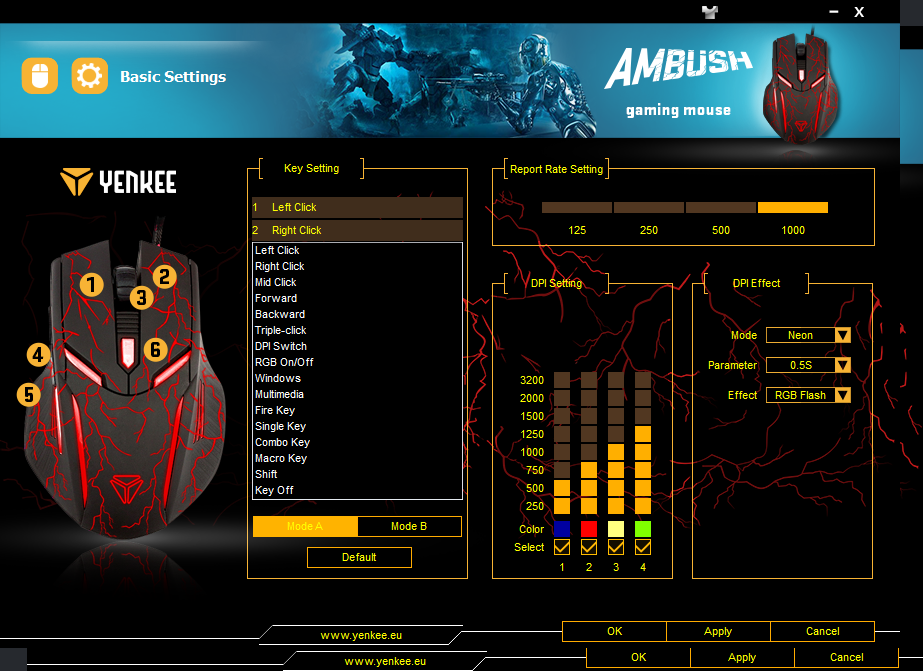
Get a CD software of the mouse, install it and run the settings in, you can change it however you want it to be.

Something like this.
Image
Image


Good luck.

Faraon78910

User avatar
Faraon
Retired Administrator
Event Host
Posts: 7730
Joined: August 16, 2013, 10:12 pm
Location: Glen Park

Post by Faraon78910 » March 5, 2017, 1:04 pm
aky wrote:
Get a CD software of the mouse, install it and run the settings in, you can change it however you want it to be.

Something like this.
Image
Image


Good luck.
where to get cd software of the mouse

Aleksa

Aleksa
Retired Administrator
Posts: 10637
Joined: October 7, 2012, 8:59 pm
Location: Belgrade, Serbia

Post by Aleksa » March 5, 2017, 1:16 pm
I thought you got the CD when you bought the mouse. Try google'ing your mouse with specifications and try downloading the software you need.

Astrl

User avatar
[Lsrcr]Astrl
Senior Administrator
Supporter
Posts: 5097
Joined: March 9, 2016, 5:38 pm
Location: Northamptonshire, England

Post by Astrl » March 5, 2017, 6:15 pm
Faraon78910 wrote:
where to get cd software of the mouse
What mouse is it lol
Senior Administrator | Server Developer | Army Sergeant Major | Head Supporter

Faraon78910

User avatar
Faraon
Retired Administrator
Event Host
Posts: 7730
Joined: August 16, 2013, 10:12 pm
Location: Glen Park

Post by Faraon78910 » March 6, 2017, 7:31 am
Skillzz wrote:
Faraon78910 wrote:
where to get cd software of the mouse
What mouse is it lol
wave 2

Raskit

User avatar
Raskit
Retired Administrator
Posts: 5117
Joined: October 7, 2012, 12:40 pm
Location: United Kingdom

Post by Raskit » March 6, 2017, 2:26 pm
Depends if your mouse allows you to remap what it's capable of, not sure if Windows allows you to by default.
Image
Image
Image
9 posts Page 1 of 1
Return to “Tech Talk”

Who is online

Users browsing this forum: No registered users and 2 guests